
Mario Tennis Open
| Mario Tennis Open | |||||||||||||||||||
|---|---|---|---|---|---|---|---|---|---|---|---|---|---|---|---|---|---|---|---|
 North American box cover For alternate box art, see the related gallery. | |||||||||||||||||||
| Developers | Camelot Software Planning Nintendo SPD Group No.4 | ||||||||||||||||||
| Publisher | Nintendo | ||||||||||||||||||
| Platform | Nintendo 3DS | ||||||||||||||||||
| Release dates | Retail: May 20, 2012[1] May 20, 2012[1] May 24, 2012[2] May 24, 2012[2] May 24, 2012[3] May 24, 2012[3] May 25, 2012[4] May 25, 2012[4] 2012[?] 2012[?] April 12, 2013[5] April 12, 2013[5] April 12, 2013[6] April 12, 2013[6] April 18, 2013[7] April 18, 2013[7]Nintendo eShop: October 18, 2012[4] October 18, 2012[?] November 1, 2012[?] December 20, 2012[?]Nintendo Selects: October 16, 2015[8] May 26, 2016[9] September 15, 2016[10] | ||||||||||||||||||
| Languages | English (United States) English (United Kingdom) Japanese Chinese (Simplified) Chinese (Traditional) Dutch French (Canada) French (Europe) German Italian Korean Portuguese (Europe) Russian Spanish (Latin America) Spanish (Europe) | ||||||||||||||||||
| Genre | Tennis | ||||||||||||||||||
| Ratings |
| ||||||||||||||||||
| Modes | Wi-Fi, Multiplayer | ||||||||||||||||||
| Format |  Game Card Game Card Digital download Digital download | ||||||||||||||||||
| Input | |||||||||||||||||||
| Serial codes | CTR-AGAE-USA CTR-AGAJ-JPN CTR-AGAP-EUR CTR-AGAW-TWN CTR-AGAK-KOR | ||||||||||||||||||
 - Everyone
 - All ages
 - Three years and older
 - Six years and older
 - All ages
 - General audience
 - All ages
 - All ages
 - General


Mario Tennis Open is the fifth direct installment of the Mario Tennis series, released for the Nintendo 3DS in 2012 (and for other regions in 2013). The game includes some features new for the series, such as gyroscope support and supported online multiplayer (using the Nintendo Network procedures before the service was terminated on April 8, 2024[12][13]), though restricted only to the player's respective region.
The game required 2019 blocks (258.4 MB) to download from the Nintendo eShop until it was removed from the service after its discontinuation on March 27, 2023.
Gameplay[edit]

The gameplay features the traditional basic elements from the previous Mario Tennis games. To win, the player must score points by hitting the ball into the other side of the court until someone misses, the ball hits the net, the ball goes out, or the ball bounces twice. Players earn points (counted as 15, 30, and 40) for every shot that is successful and can win the match by earning game, set, and match points. The number of sets and games can be changed by the player in exhibition mode but not in tournament mode.
This game uses the buttons of the 3DS during single or multiplayer matches, though players can perform various tennis shots by selecting the shot panels on the touch screen, which will light up to alert the player of the best shot to use in a given situation. By holding the 3DS vertically, players can make use of the aforementioned gyroscope support, disabling 3D functionality. This places the camera behind their character, whose movement becomes automatic, and allows players to control the direction of their shots based on the position of the console. The gyroscope support can be disabled either by holding the console horizontally or by disabling it in the Options menu. There are also Special Modes in the game, such as "Super Mario Tennis", where the player needs to hit enemies, blocks and coins with tennis balls in some levels of Super Mario Bros.
Controls[edit]
Menu[edit]
 /
/ - Select
 - Confirm
 - Cancel
 - Pauses the game during a match and opens a menu that contains choices such as viewing game rules, setting gyroscope controls, choosing to re-do matches, and canceling matches.
 - Toggles between the character's dominant hand.
 - Toggles between the character's star rank. In multiplayer, this is based on the data of player who created the room. Therefore, the player who has created the room needs to have their characters starred if members of the room want to give their characters a star rank.
Tennis matches[edit]
- / - Moves the character.
- - Performs a topspin shot that is faster. It has a high trajectory with a forward spin.
- - Performs a slice shot that is slower. It has a low trajectory with a backward spin. During a replay, this button restarts the replay at another angle.
 - Performs a simple shot. This button automatically performs the appropriate shot. Chance Shots performed by this button are slightly weaker.
 - Performs a flat shot that is the fastest shot, but it has no spin. Also, this button can be used for Smash Shots. Note that Smash Shots and Purple Chance Shots are different shots.
- → - Performs a lob with a very high trajectory, which can land at the back of the court.
- → - Performs a drop shot, with very little bounce and trajectory. The ball can land at the front of the court.
- /// (while the opponent is receiving or serving the ball) - The character performs a taunt that makes their next shot stronger.
- - If the player is charging the ball, this button cancels the charge. It also makes the player say, "Got it!" to let the partner know that the player is going to hit the ball.
- - If any character is serving, the button cycles through the three shot panel configurations: 3-panel, inverted 3-panel, and 6-panel. After the serve, it instead performs a dive that can be used to reach the ball more quickly.
Chance Shots[edit]

Chance Shots can appear if the opponent performs a bad rebound. In that case, a small colored area with a symbol of a Super Mario enemy or item appears in the player's court. The color of the symbol matches the colors of the panels in the touch screen (if the touch screen is set to the 6-panel shot panel). To perform a chance shot, players have to perform a shot whose color corresponds to the colored area when they are in that spot, either by pressing the correct button or button combination or by touching the matching color on the touch screen. Otherwise, the shot is a normal one. However, players can perform a simple shot that automatically selects the appropriate shot, but this Chance Shot is slightly weaker.
Players on the receiving end of a Chance Shot experience effects that can hinder them. However, they can lessen the effect by performing the opposite shot. For instance, (red) topspin Chance Shots may not make much of an impact if the player retaliates with a (blue) slice shot. The recommended counter button is lit up for the receiving player on the touch screen.
The following is a list of Chance Shots and their effects.
| Screenshot | Color | Icon | Effect | Counter |
|---|---|---|---|---|

|
Red | Fire Flower | Creates a flaming topspin similar to Mario's Iron Hammer and Bowser's Fire Breath. When opponents hit this Chance Shot, they can be drastically pushed back. | Slice (blue ) |

|
Blue | Blooper | Creates a highly curving slice with a blue sparkling trail. Players who receive this shot spin out of control for a brief moment. | Topspin (red ) |

|
Purple | Star | Similar to a Smash Shot, but this Chance Shot is much stronger. | Flat (purple ) |

|
Yellow | Cheep Cheep | Creates a curving extreme lob that bounces at the back edge of the court. | Slice (blue ) |

|
Gray | Bob-omb | Creates an even lower drop shot than a normal one. | Topspin (red ) |
Game modes[edit]
Tournament[edit]

The Tournament mode is very similar to those in the previous Mario Tennis games. However, two more cups are added and are arranged differently. Players must have a star ranking to participate in the second set of cups. To do that, they must beat the Champions Cup. However, in the Doubles Tournament, only the character they control earns the star rank. Beating Champions Cup unlocks the Pro difficulty, which is more difficult than Expert, while Final Cup unlocks Ace, the most difficult COM level for Exhibition Mode.
Once the player has unlocked a cup, they can play it at any time, using any character. As a result, characters do not have to clear all three cups to beat the Champions Cup to earn the Star Rank, unlike in previous titles. Like in the previous titles, though, computer opponents will not use the hidden characters in Tournament.
- World Open
- Mushroom Cup: 1-set starting round, 1-set semifinals, 3-set finals, held in the Mushroom Valley court
- Flower Cup: 1-set starting round, 3-set semifinals, 3-set finals, held in the Wario Dunes court
- Banana Cup: 1-set starting round, 3-set semifinals, 5-set finals, held in the DK Jungle court
- Champions Cup: 1-set starting round, 3-set semifinals, 5-set finals, held in the Mario Stadium courts
- Star Open
- 1-Up Mushroom Cup: 1-set starting round, 1-set semifinals, 3-set finals, held in the Peach's Palace court
- Ice Flower Cup: 1-set starting round, 3-set semifinals, 5-set finals, held in the Penguin Iceberg court
- Shell Cup: 3-set starting round, 3-set semifinals, 5-set finals, held in the Bowser's Castle court
- Final Cup: 3-set starting round, 3-set semifinals, 5-set finals, held in the Galaxy Arena Morph Court
Exhibition[edit]

Similar to the preceding Mario Tennis games, exhibition mode is a basic versus mode. Players can choose a singles or doubles match. After that, they can choose their character (and teammate, for doubles) and opponents and press the or to give characters a left-handed dominance or a star rank, respectively, if they want. The opponent's CPU's difficulty can be chosen after that, ranking from lowest to highest: Novice (blue triangle), Intermediate (yellow circle), Expert (green circle with dot in the middle), Pro (red diamond), and Ace (rainbow star). The Pro and Ace difficulties are unlockable by winning the Champions Cup and Final Cup, respectively. After this, players can pick any court they currently have, and they can select the number of games and sets. Then, the match starts. Chance Shots cannot be turned off, unlike Power Shots from Mario Power Tennis.
Special Games[edit]
Another regular feature of the Mario Tennis series, the Special Games, is also present in Mario Tennis Open. These games, like the name says, have special rules and features that differ from normal gameplay. Some of these games bear a very strong resemblance to the Special Games in the previous Mario Tennis titles. However, unlike in the previous Mario Tennis games, Ring Shot is included within the Special Games rather than as another option for exhibition matches. Each Special Game has four difficulties, which are named according to the Special Game. Other than Super Mario Tennis, the last difficulty is a challenge that tests how much a player can do before running out of tries.
Players can unlock characters by clearing Level 3 of each Special Game. Players can unlock outfits for their Mii if they meet the requirements for unlocking them in level 4.
| Game | Description |
|---|---|
 Ring Shot |
The returning game mode where the player keep a rally going while hitting the ball through rings that appear over the net. Multiple rings appear, each decreasing in point value as they get bigger. The game is over when time runs out or the goal is achieved. |
 Super Mario Tennis |
In this game, the player must hit the ball onto a wall with Super Mario Bros. levels scrolling on it. Hitting items, enemies, blocks, and coins will extend the time, and hitting the flagpole will finish the level. The game is over when the level is completed or when all lives are lost. |
 Galaxy Rally |
The player must rally a ball with a Luma without making the ball fall into the black hole. There are shrinking platforms which disappear when the ball bounces on them. The game is over when the three balls are lost or the goal is achieved. |
 Ink Showdown |
This game plays similarly to Piranha Challenge from Mario Tennis. The player must return all balls that an Inky Piranha Plant spits at them, without letting the opponent receive the balls. |
Characters[edit]
Playable characters[edit]

There are a total of 25 playable characters in Mario Tennis Open. Thirteen are available from the start, four are unlocked by completing level 3 of their respective Special Games, while the remaining eight, Metal Mario and alternate-colored Yoshis, are unlocked by scanning QR codes. Aside from Miis, new playable characters introduced to the Mario Tennis series in this game are Baby Peach, Dry Bowser, Luma, and Metal Mario, while the other-colored Yoshis are separate playable characters after being tied to Yoshi's Rolling Egg Return in Mario Power Tennis. In addition, Baby Mario is playable for the first time in the series since the Game Boy Color installment, while Daisy, Diddy Kong, Boo, Bowser Jr., and the other-colored Yoshis are playable in a Mario Tennis game for a handheld console for the first time after previously being playable in at least one home console installment.
Characters are split into six categories of types depending on their stats. Mii do not belong to any category as their stats can be customized.
- All-Around characters do not have any major advantages or disadvantages.
- Technique characters have better ball control, often at the expense of power.
- Speed characters move quickly around the court, often at the expense of power.
- Power characters have faster, stronger strokes and serves, but are often not very agile characters.
- Defense characters are large or long characters with a better ball reach. They are not very agile characters.
- Tricky characters have highly curving shots, making it harder for the opponent to predict shots. They are not very powerful characters.
| Character | Type | Description | Unlock criteria |
|---|---|---|---|
 Mario |
All-Around | Mario is a well-rounded character who does not have any major strengths or disadvantages. He has slightly weaker volley power and reach than his brother, Luigi, but he has increased stroke power. | Available from the start |
 Luigi |
All-Around | Luigi plays similarly to Mario, but he has better reach and volley power at the expense of his stroke power. | Available from the start |
 Peach |
Technique | Princess Peach has very high ball control, which compromises her stroke and agility. | Available from the start |
 Yoshi |
Speed | Yoshi is a well-rounded speed character. He has fewer disadvantages than other speed characters, but has fewer advantages over other speed characters as well, such as having middle-ground speed, power, and reach among the speed characters. | Available from the start |
 Daisy |
Technique | Princess Daisy has less ball control than Peach, but she has more stroke power than her. | Available from the start |
 Luma (new) |
Technique | Luma has the lowest reach and among the lowest power of all technique characters. It has the best ball control, volley power, and mobility out of them, however. | Complete Level 3 of Galaxy Rally |
 Baby Mario |
Speed | Baby Mario is the fastest of all speed characters, has the longest lunge, and is the most powerful of speed characters. Due to his small size, his reach ranks among the worst in the game and his ball control is average. | Complete Level 3 of Super Mario Tennis |
 Baby Peach (new) |
Tricky | Baby Peach's shots do not curve as much as Boo's, but she is quick and has strong volleys. Due to her small size, her reach ranks among the worst in the game alongside Baby Mario. | Complete Level 3 of Ring Shot |
 Metal Mario (new) |
Power | Metal Mario hits shots with great force, but he moves quite slowly. He is the only QR unlockable character in the game that is not a Yoshi. | Scan a QR code |
 Red Yoshi |
Technique | Being a technique character, Red Yoshi has higher ball control, but lower power than most other Yoshis. | Scan a QR code |
 Blue Yoshi |
Speed | Being a Yoshi with a speed-oriented play style, Blue Yoshi plays very similarly to his green relative. | Scan a QR code |
 Light-Blue Yoshi |
Speed | Being a Yoshi with a speed-oriented play style, Light-Blue Yoshi plays very similarly to his green relative. | Scan a QR code |
 Yellow Yoshi |
Power | The most powerful of the Yoshis, Yellow Yoshi hits the ball so that it travels at a high speed, but he is not as agile as the other Yoshis. | Scan a QR code |
 Pink Yoshi |
Technique | Being a technique character, Pink Yoshi has higher ball control, but lower power than most other Yoshis. | Scan a QR code |
 White Yoshi |
Tricky | The only Yoshi, and by extension, the only QR unlockable character with a Tricky play style. Compared to other Yoshis, his shots have a high curve, making them more unpredictable, but he also has lower power. | Scan a QR code |
 Black Yoshi |
All-Around | The only Yoshi, and by extension, only QR unlockable character to have an All-Around play style. This makes Black Yoshi the most balanced of the Yoshis, and he has no significant advantages or disadvantages. | Scan a QR code |
 Dry Bowser (new) |
Defense | Dry Bowser is a powerful Defense character who is not as powerful as the power characters, but has better ball control over them. Dry Bowser also has better volley and slice than Bowser, but worse stroke and topspin. | Complete Level 3 of Ink Showdown |
 Boo |
Tricky | Boo has the most highly curving shots in the game, though it is not a powerful character and it does not have a good reach. Its lunge is short-ranged, but very quick, a change over its slower, longer-ranged lunge from Mario Power Tennis. | Available from the start |
 Bowser Jr. |
Tricky | Bowser Jr. is the strongest Tricky character with a better reach than Boo. His shots curve the least out of all Tricky characters, however. | Available from the start |
 Diddy Kong |
Speed | Diddy Kong has less stroke power than Yoshi, ranking among the lowest in the game, but he has better reach and ball control than Yoshi. | Available from the start |
 Donkey Kong |
Power | Donkey Kong is a powerful character who has excellent reach. He has more ball control and agility than Bowser, but less stroke power than him. | Available from the start |
 Waluigi |
Defense | Waluigi is the only defense starter character. He has the best reach in the game, but he is not very powerful or very agile. Out of the two defense characters, Waluigi has better ball control. | Available from the start |
 Wario |
Power | Wario is one of the weaker power characters and has less reach than them, but he has better ball control and agility than them. Out of all the power characters, Wario is the most well-rounded. | Available from the start |
 Bowser |
Power | Bowser is the most powerful starter power character. His strokes and serves are very quick and powerful, and Bowser has above average reach. However, Bowser's agility and lunges are the lowest of the starter characters. | Available from the start |
 Mii (new) |
- | Miis are custom characters whose stats are determined by the gear they are equipped with. Without any gear, they are well-rounded characters who have no distinct advantages or disadvantages. The only stat that cannot be altered for the Mii is its reach, as players cannot increase or decrease sizes of Miis in this game, but they can do so in the Mii Maker functionality of the Nintendo 3DS. | Available from the start |
The Yoshi Hunt[edit]

In Europe, a Yoshi QR Chase was set up in 30 participating ASDA stores, and in participating EB Games and JB Hi-Fi stores in Australia and New Zealand. This special QR event allowed consumers to scan the code via the game to unlock certain Yoshis to play as. All countries where the game has been released have all QR codes in regards to the colored Yoshis.
Although not part of the Yoshi Hunt, a Yoshi costume (pictured right) can also be unlocked for the player's Mii by scanning a specific QR code.
QR codes[edit]
- For the game's QR codes, see Gallery:Mario Tennis Open § QR codes.
In order for the player to scan a QR code, they must go the file select screen and press  + . However, a save file must be created first before they can scan a QR code.
Non-playable characters[edit]
- Toad
- Lakitu
- Toads
- Goombas
- Mechakoopas
- Penguins
- Shy Guys
- Koopa Troopas
- Inky Piranha Plants
- Piranha Plants
- Lumas (Blue, Red, Green, and Turquoise)
- Buzzy Beetles
- Koopa Paratroopas
- Blooper
Tennis gear[edit]
- Main article: List of Mario Tennis Open Mii gear
Gear may be bought for the player's Mii with coins that are earned by playing Special Games. They can be bought at the Clubhouse for a certain amount of coins each and alter the Mii's statistics. Costumes can also be unlocked by meeting certain conditions, such as giving characters a star rank.
Courts[edit]
| Court | Type | Ball Speed | Bounce | Description |
|---|---|---|---|---|
 Mario Stadium |
Clay Court | Slow | Weak | "A legendary court known for high drama." |
 Mario Stadium |
Hard Court | Normal | Strong | "A legendary court revered by top players." |
 Mario Stadium |
Grass Court | Fast | Weak | "Tennis aces face off on this famous court." |
 Mushroom Valley |
Mushroom Court | Slow | Strong | "A court built on a gigantic mushroom." |
 Wario Dunes |
Sand Court | Slow | Weak | "A desert court surrounded by ancient ruins." |
 DK Jungle |
Wood Court | Normal | Normal | "A rugged court in the heart of the jungle." |
 Galaxy Arena |
Crystal Court | Fastest | Strongest | "A mind-bending court floating in outer space" |
 Galaxy Arena |
Morph Court | ??? | ??? | "A cosmic court that takes on many forms." |
 Bowser's Castle |
Stone Court | Fast | Strong | "Bowser's fiery court built on boiling magma." |
 Penguin Iceberg |
Snow Court | Normal | Strongest | "A penguin-filled court floating in icy waters." |
 Peach's Palace |
Carpet Court | Fastest | Normal | "This court is in Peach's lavish palace." |
Staff[edit]
- Main article: List of Mario Tennis Open staff
Camelot Software Planning, which has previously developed other Mario Tennis and Mario Golf games, also worked on this title. The director was Shugo Takahashi while the lead designers were Hiroyuki Takahashi and Shugo Takahashi, as with the previous installments of the Mario Tennis series. Motoi Sakuraba composed the music. Mario Tennis Open has a different set of announcer voices for each version, a rare aspect in a Super Mario game. The executive producer was Satoru Iwata, the president of Nintendo while Shigeru Miyamoto was the supervisor.
Pre-release and unused content[edit]
Rosalina was intended to appear as a playable character, but was replaced by Luma, as the developers were not able to include her.[14] She would later be included as a playable character in the next Mario Tennis installment, Mario Tennis: Ultra Smash. Footage shown at the Tokyo Game Show 2011 showcases Mario and Peach playing against Bowser and Luigi on the Peach Dome court.[15] In the final game, this court is replaced by the Mario Stadium.
 Mario hitting a topspin shot.
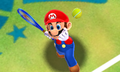 Close-up of Mario serving.
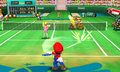 Mario returning a shot.


